Operator console
Window ▸ VSK Cameras is the show console. Cards, top to bottom, in run-of-show order:
- Health strip - the status row (own section).
- PROGRAM (cut) - CAM buttons with tally + GO LIVE, which applies genlock/timecode, input routing and starts the program output in one press.
- PRESETS 1-16 - the shot box. Store and recall framed shots per camera channel.
- STATE - ARM A / ARM B (the camera follows the pose point) / OFF (locks it) / COPY / PASTE between A and B.
- EASING - motion curve for A↔B moves (Linear and eased curves).
- TRANSPORT - PLAY / PAUSE / STOP / BOUNCE / LOOP for the A→B move.
- TIMING & SPEED - per-preset path durations, master speed, camera speed.
- OVERLAYS - INFO / LENS / SAFE-area / SDI overlays on the viewport.
- SCENES - full-studio snapshots with STORE and EDIT (details).
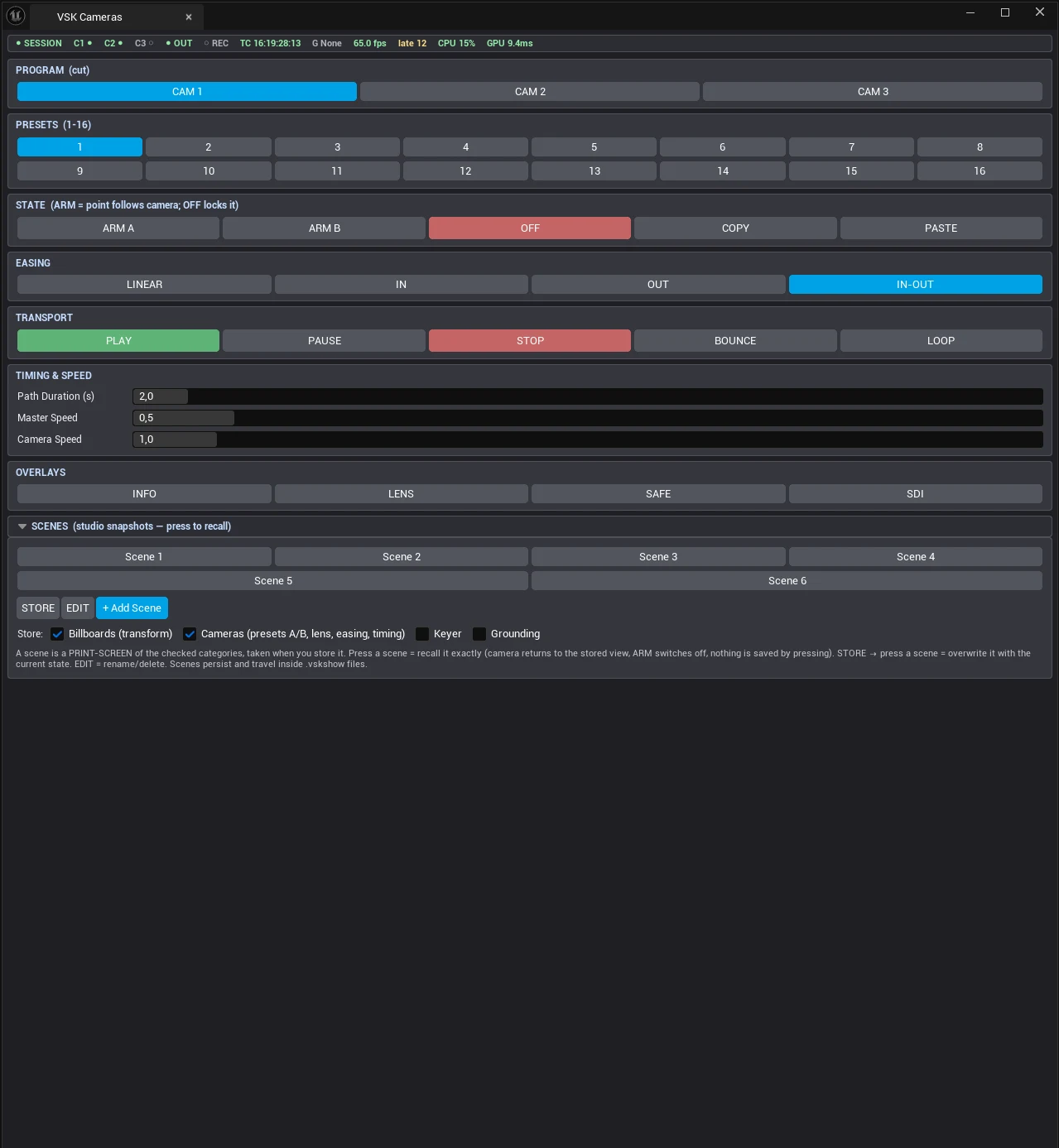
The VSK Cameras console with the health strip on top
Default hotkeys
1 ARM A · 2 ARM B · 4 STOP · NumPad 1-8 recall
Scene.1-8. Every trigger button can be rebound - see Key bindings.
Each camera channel is a CineCamera with independent A/B poses, its own preset bank, program/preview switching with tally, a fly-cam mode and a multiview.