Keyer & billboards
Window ▸ VSK Billboards & Keyer. Every control is per-billboard (each billboard gets its own material instance), so two cameras with different green screens key independently.
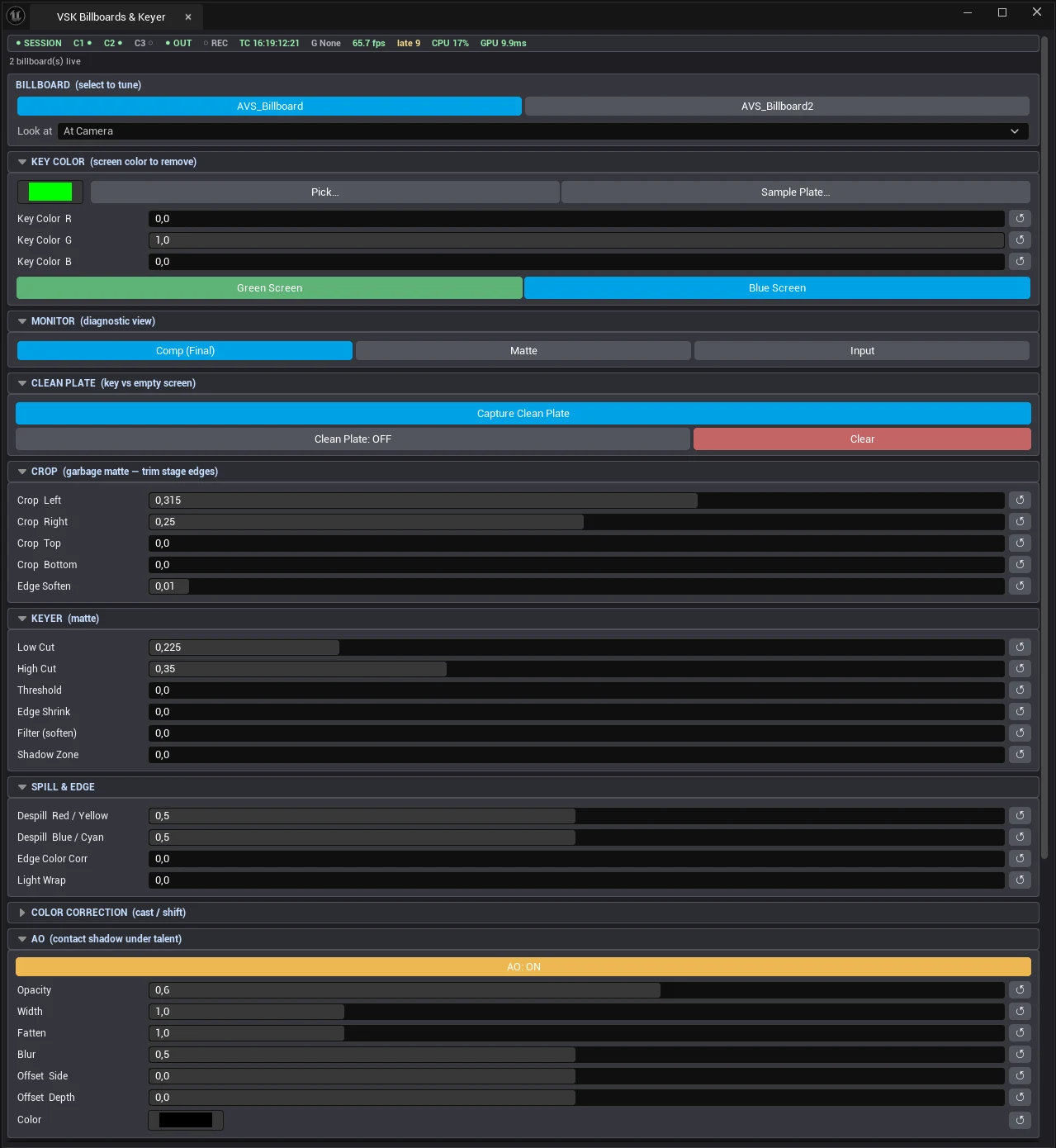
The Billboards & Keyer panel
Billboard & Look-At
Select which billboard to tune, and its Look at mode: At Camera (default - always faces
the taking camera), At Camera Plane (stays parallel, no perspective lean), or Off (holds
placement).
Key color
R/G/B of the screen color with one-press Green Screen / Blue Screen buttons and a color picker.
Monitor
Diagnostic views: Comp (Final) · Matte · Input - tune the matte in Matte view, judge the result in Comp.
Clean plate
Capture the empty green screen once; the keyer then keys per-pixel against that plate instead of a single color - uneven lighting stops mattering. Re-sample when lighting changes.
Crop
The input crop trims rig, stands and stage edges outside the screen, with automatic recentering so the talent stays put. (A free-form garbage-matte mask is on the roadmap; crop covers the rectangular case.)
Matte controls
| Control | Default | Does |
|---|---|---|
| Low Cut | 0 | Lifts near-black matte noise to full transparency. |
| High Cut | 0.3 | Pushes near-white matte to full opacity. |
| Threshold | - | Core key tolerance. |
| Edge Shrink | 0-5 | Chokes the matte edge inward. |
| Filter | - | Softens the matte edge. |
| Shadow Zone | - | Preserves real floor shadows in the lower zone. |
Spill & edge
Despill R/Y and B/C (default 0.5 each) pull screen bounce off skin and hair; Edge Color Corr retints the matte edge; Light Wrap bleeds the virtual set’s light onto the talent’s silhouette.
Color correction
Per-channel R/G/B gain (0-2, default 1) to match the camera to the set. ↺ Reset This Billboard restores every keyer value (with confirmation).
VS_M_ChromaKey with 18 inputs, driven per-billboard through material instance parameters. Fast, and editable in one place.